Google Business Profile insights vs review analysis: what each tells you
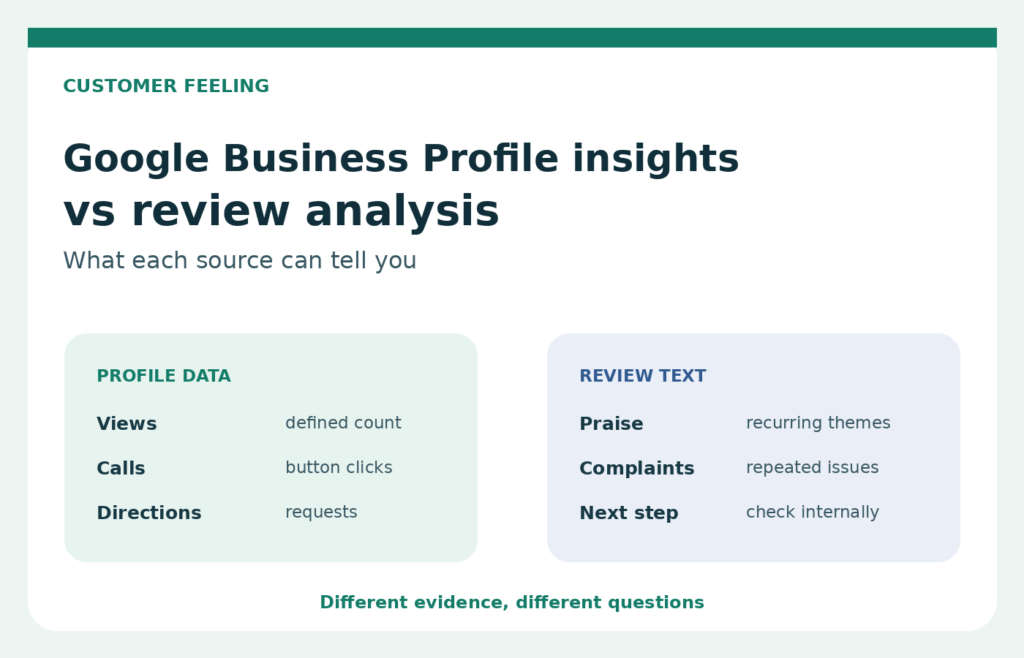
Google gives Business Profile owners useful first-party data about discovery and interaction. Review analysis asks a different question: what are customers repeatedly saying about the experience? A buyer comparing Google Business Profile insights vs review analysis should not expect one screen or report to answer both questions.
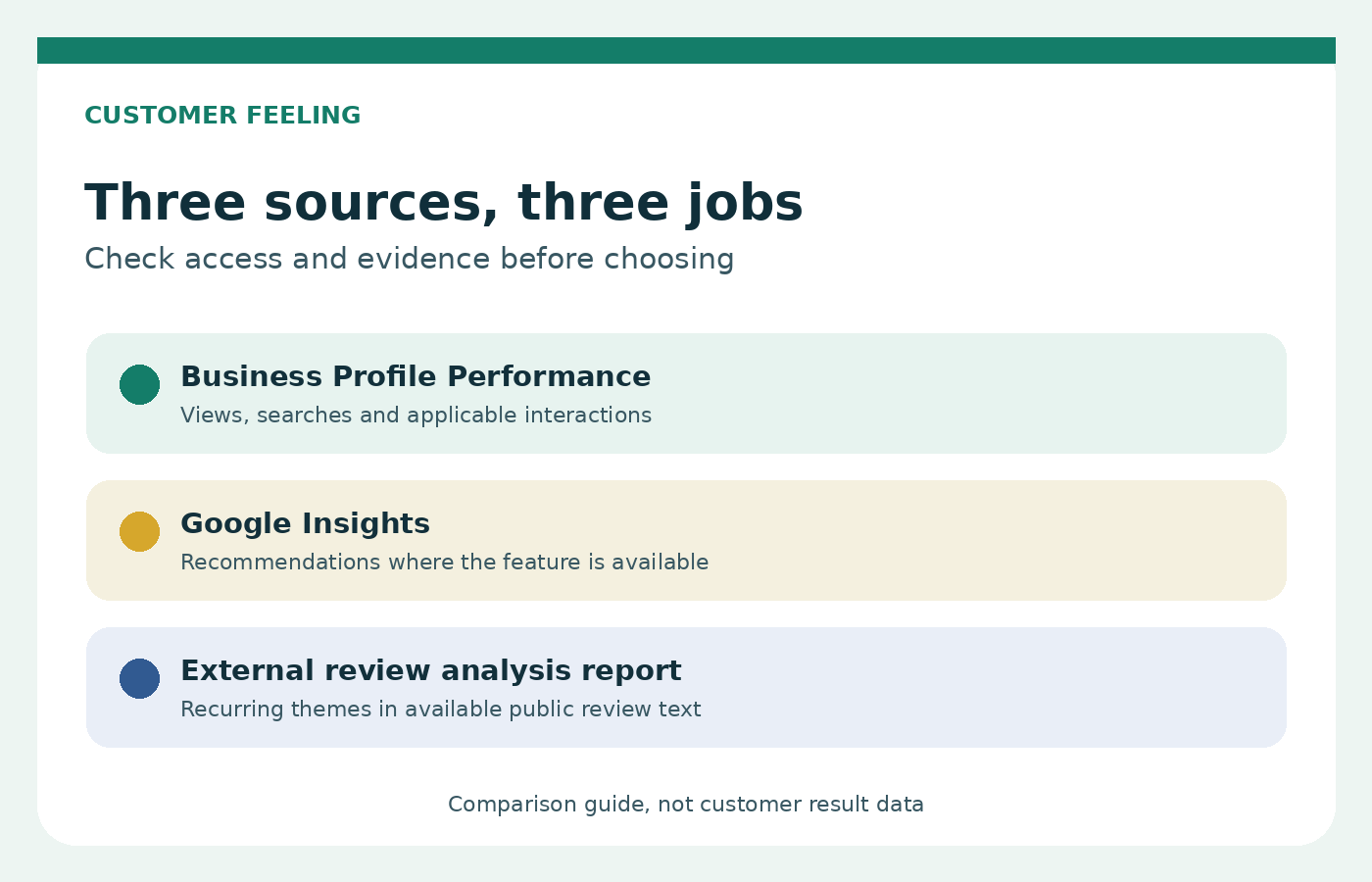
Google separates Performance from its Insights feature. Performance reports measurable activity such as views, searches, calls, website clicks, and direction requests when those metrics apply. Insights can offer recommendations based on public, location-based information, including reviews, photos, and local search trends, but Google says the feature may not be available for every profile. A review analysis report can organize public review text into themes, yet it cannot see private profile metrics or prove what caused a change in those metrics.
The buying decision is therefore narrower than “free tool or paid report.” First decide whether you need account-level activity data, a structured reading of customer comments, or both. The comparison below keeps those jobs separate and shows where Customer Feeling review analysis fits.
Performance metrics describe discovery and interactions
Google Business Profile Performance is the place to check how people found and interacted with a profile on Search and Maps. Google says this data is available only for verified profiles, and the user must sign in to the Google Account associated with the profile. Owners and managers can select a date range and review an individual profile or multiple profiles.
The available measures depend on the business. Google lists views, searches, and actions, then provides more specific interaction measures such as direction requests, call button clicks, website clicks, messages, and bookings. Hotel booking clicks, product views, menu interactions, and offer activity apply only in relevant situations. Google is explicit that not every metric appears for every business.
These numbers are useful for questions such as:
- Did profile views move during the selected period?
- Which search terms led people to the profile?
- How many people clicked the website or call button?
- Did direction requests change after the profile information was updated?
- Which locations recorded more profile interactions during the same reporting window?
Definitions matter. Calls measure clicks on the call button, not completed or answered calls. Website clicks do not show what the visitor did after arriving. Performance describes activity within Google’s definitions, not the reasons behind it.
Google Insights can include review-based recommendations where available
Google’s support page now describes an Insights feature alongside Performance. It provides data-driven recommendations intended to help owners optimize a profile. Google says the recommendations are created from public, location-based information such as customer reviews, photos, and local search trends. The page also says Insights are updated often and lets a user rate a suggestion with a thumbs up or thumbs down.
That makes Insights relevant to this comparison, but availability is a firm limitation. Google states that the feature may not be available for all Business Profiles. The public help page does not promise a fixed set of review themes, a standard report structure, or identical recommendations for every eligible profile. A buyer should check the actual profile rather than assume a screenshot or another business’s experience will match.
Performance and Insights should also remain separate in your notes. Performance gives defined counts and search or interaction data. Insights provides recommendations derived from several public and local information sources. A recommendation that mentions reviews is not the same as a complete review-text analysis, and a recommendation based partly on local trends cannot be attributed to reviews alone unless Google labels it that way.
Before paying for anything, sign in to the relevant verified profile and check what Performance and Insights already answer. Record the remaining business question.
What the Customer Feeling report publicly promises
Customer Feeling describes a narrower service. Its current English page says the service analyzes the available public reviews for the Google Maps location supplied by the buyer. It identifies recurring praise and complaints, organizes repeated comments into themes, provides practical areas to review, and delivers the completed report by email.
The input is publicly available Google Maps review text. The buyer provides a Google Maps business link and purchase email. No Google password or account access is required. The report therefore cannot see private Business Profile Performance data.
Report detail depends on the available material. Customer Feeling says the quality and detail of findings depend on the number and substance of the public reviews. Repeated, specific comments provide more evidence for themes than a small set of star-only ratings or brief remarks. The report should therefore be treated as one source of evidence, alongside operational records and direct customer conversations.
You can view a sample report before buying. Check whether its organization and level of detail suit the decision you need to make. The sample is better purchasing evidence than assumptions about dashboards, exports, timing, or coverage that the live service page does not promise.
An honest overlap and access comparison
The three outputs have some shared subject matter, but different access and purposes. This comparison uses only Google’s current help page and Customer Feeling’s current public service page.
| Question | Profile Performance | Google Insights | Customer Feeling report |
|---|---|---|---|
| Primary job | Describe profile discovery and interactions | Offer recommendations for profile optimization | Organize recurring praise, complaints, and review themes |
| Access | Verified profile and associated Google Account sign-in | Available through the profile when the feature is offered | Public Google Maps reviews, business link, and purchase email |
| Review involvement | Not presented as review-theme analysis | Reviews may be one input alongside photos and local search trends | Public review text is the stated input |
| Availability | Only for verified profiles, with applicable metrics varying | May not be available for every profile | Depends on available public reviews and the purchased report option |
| Private profile metrics | Yes, for authorized owners or managers | Accessed inside the Business Profile | No access claimed |
| Output | Metric views and downloadable performance data | Recommendations within the profile | An emailed report |
All three may inform what a manager checks next, but they do not share the same evidence base. Label the source beside every observation so account metrics, Google’s recommendations, and report themes do not blur together.
Combine profile metrics and themes without claiming causation
Using metrics and review themes together can produce a better investigation, but the combination does not prove cause. Suppose website clicks rise during a month when several reviewers mention a new service. The two observations occurred in the same period. That alone does not establish that the reviews caused the clicks, that the service caused the reviews, or that every reviewer saw the profile.
A safer working table separates observation from explanation:
| Evidence | What you observed | What to verify internally |
|---|---|---|
| Profile Performance | Direction requests changed during the selected period | Profile edits, advertising, seasonality, closures, and local events |
| Public review themes | Several comments mentioned finding the entrance | Signage, map pin accuracy, customer questions, and site access |
| Google Insights | A recommendation appeared in the profile | The information cited, whether it applies, and who can act on it |
This is an editorial template, not a Customer Feeling feature or customer result data. Use the metric definition, preserve the review wording behind a theme, and assign an internal check to someone who can inspect the relevant records.
Timing needs care too. Performance lets the owner select a date range, while Customer Feeling’s public page does not promise buyer-controlled review date filtering. Do not imply that a report and a metric window cover identical periods. If period matching is essential, contact us and ask before purchase rather than assuming the option exists.
When the native tools are enough
Native tools may be enough when the question is about visibility or interaction and the team already has access to a verified profile. If you need search terms, profile views, website clicks, calls, or direction requests, start with Performance. If Insights appears and its recommendations are specific enough for the next profile update, use them before adding another source.
A separate report may be worth considering when the remaining question concerns recurring reasons in public review text and nobody has time to sort that text manually. It is also easier to qualify when you have a defined management discussion, enough substantive public comments to examine, and a plan to verify themes against internal evidence. The purchase is harder to justify when reviews are sparse, the question is purely about profile traffic, or the team expects private metrics to appear in the report.
Use this order before buying:
- Confirm that the profile is verified and that the right owner or manager can sign in.
- Review Performance for the relevant period and note which metrics actually appear.
- Check whether Google Insights is available and read the recommendations in context.
- Write the unanswered question in one sentence, preferably about a decision rather than a broad wish to “get more insight.”
- Inspect the public review text and the sample report to judge whether a thematic analysis could answer it.
- Keep operational verification with the business. Neither a metric movement nor a review theme proves the underlying cause by itself.
If the unanswered question is about repeated customer comments, review the plans against your question and location needs. Choose the smallest option that fits the stated task, and do not treat a paid report as a replacement for free account data you already have.
Frequently asked questions
Does Google already provide review insights?
Sometimes. Google’s Insights feature can create recommendations from public, location-based information that includes customer reviews, photos, and local search trends. It is not described as a fixed review-analysis report, and Google says the feature may not be available for every Business Profile.
Are Insights available to every profile?
No. Google’s current support page says Insights may not be available for all Business Profiles. Performance has a different condition: it is available only for verified profiles, requires sign-in to an associated Google Account, and shows only the metrics that apply to that business.
Can Customer Feeling see my private profile metrics?
The public service page does not claim access to private profile metrics. It says Customer Feeling works with publicly available Google Maps reviews and does not require access to your Google account. Use Business Profile Performance for authorized account-level metrics.
Can a review theme explain why profile clicks changed?
It can suggest a question to investigate, but it cannot establish the cause. Compare the metric period, profile changes, advertising, seasonal conditions, operational records, and the wording of relevant reviews before drawing a conclusion.
Should I buy a report if Google Insights is available?
Only if a defined question remains after you review the native information. Check the sample report, confirm that your public reviews contain enough substantive text, and decide whether grouped themes will support a real management discussion. If the native recommendation already answers the question, use it.