
Choosing a review analysis report vs reputation management software
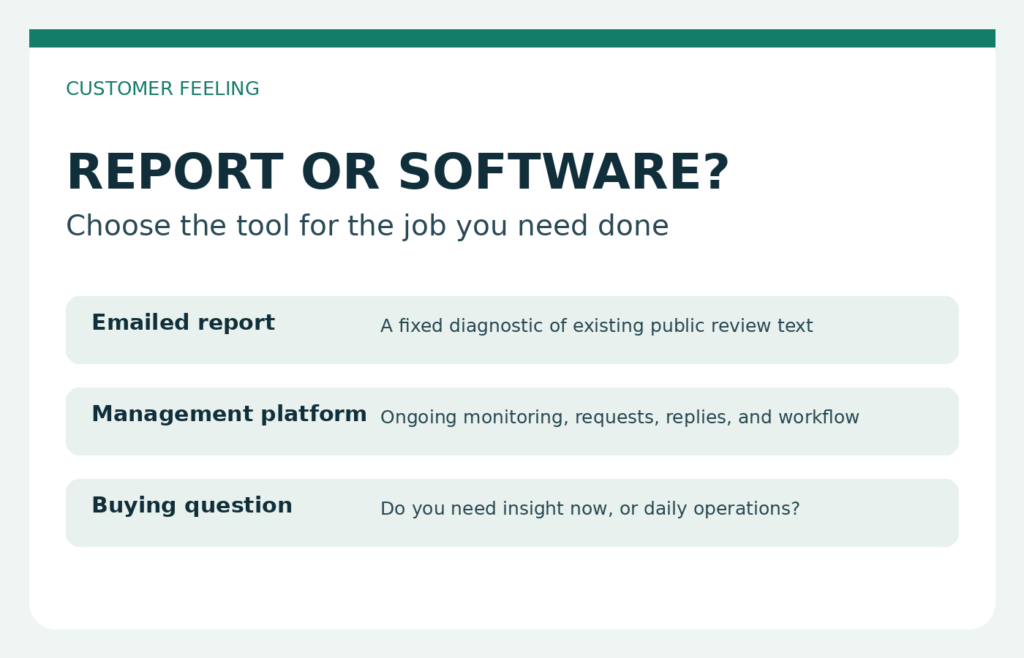
Choosing between a review report and a software subscription starts with a practical question: what job needs to be done now? A report can organize existing customer comments into a readable diagnostic. Reputation management software is intended for ongoing operational work. They overlap around reviews, but they are not interchangeable.
This guide compares a review analysis report vs reputation management software without assuming that every business needs the larger system. It explains where an emailed analysis stops, what to verify before buying software, and when using both may be reasonable.
Separate analysis, monitoring, review requests, and replies
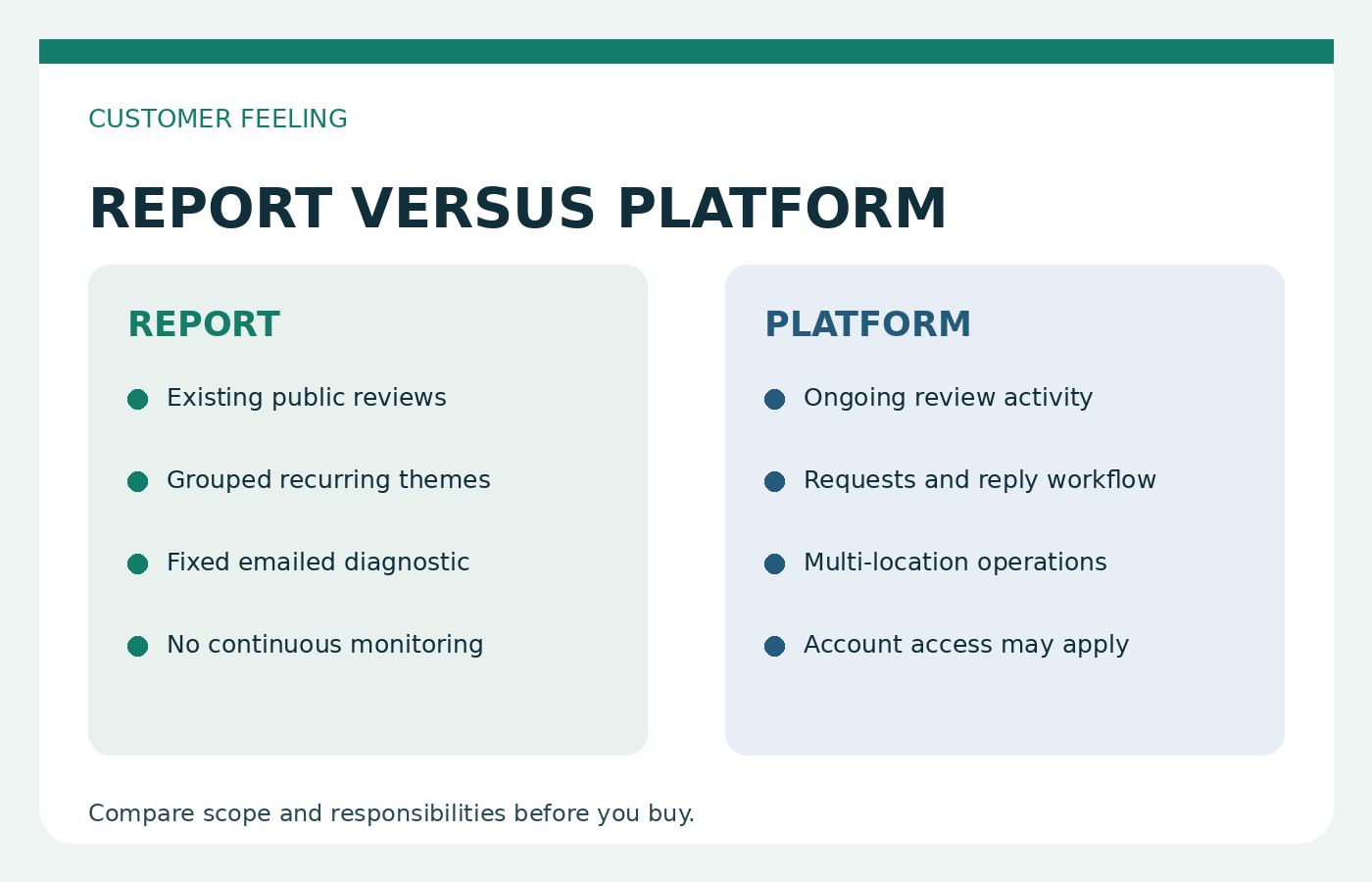
Four review-related jobs are often bundled together in sales language, although each solves a different problem. Analysis examines review text that already exists and identifies repeated praise, complaints, and topics. Monitoring watches for review activity over time. Review requests invite customers to leave feedback through an ongoing process. Replies are public business responses posted to individual reviews.
Customer Feeling review analysis performs the first job. It analyzes publicly available Google Maps reviews, groups recurring praise and complaints, and sends the result as an emailed report. It does not monitor continuously, request reviews, reply to reviewers, or replace workflow software.
Google states that verified businesses can reply to reviews. Those replies are public, and the reviewer can change the review afterward. That makes replying an active account-based task rather than a feature of a diagnostic report. A business that needs analysis and public responses needs to assign those as separate jobs, even if one person eventually handles both.
A capability matrix based on verified vendor claims
The useful comparison is not simply “report or dashboard.” Buyers should compare the exact jobs they need with features that vendors currently describe. The table below limits platform examples to claims on Birdeye’s vendor page and does not imply that every reputation product includes the same functions.
| Job or requirement | Customer Feeling report | Reputation management software |
|---|---|---|
| Analyze existing public Google Maps review text | Yes. Recurring praise and complaints are grouped in an emailed report. | Ask how the selected vendor analyzes text and presents findings. |
| Monitor reviews continuously | No. | Birdeye advertises unified multi-location monitoring and tracking over time. |
| Generate review requests | No. | Birdeye advertises generating reviews. |
| Respond to reviews | No. | Birdeye advertises review response capabilities. Confirm account permissions and workflow details. |
| Support review marketing | No. | Birdeye advertises marketing capabilities related to reviews. |
| Require a Google password for analysis | No. The analysis uses publicly available reviews. | Ask each vendor what access, authorization, and account connection its selected features require. |
| Deliver a fixed diagnostic | Yes, by email. | Platforms are positioned for ongoing use, but reports and exports should be verified before purchase. |
These entries describe scope, not effectiveness. Birdeye’s items are vendor claims, not tested outcomes or guarantees. A purchasing decision should be based on a demonstration, written plan details, access requirements, and the work your team will actually perform.
When an emailed diagnostic is enough
An emailed report can be enough when the immediate need is to understand what existing reviewers repeatedly mention. For example, an owner may want a structured view of common compliments and complaints before discussing priorities with staff. A consultant may need a compact diagnostic for an initial client conversation. A small team may simply want occasional analysis rather than another system to operate.
The format is especially relevant when you do not need live alerts, request campaigns, response queues, or an ongoing record inside a platform. Because Customer Feeling works from publicly available Google Maps reviews, no Google password is needed. You can view a sample report before deciding whether the depth and presentation fit your purpose.
There is an important limitation: report quality depends on the available review text. A business with sparse comments, very short reviews, or little repeated detail gives the analysis less material. The report can organize what reviewers wrote, but it cannot manufacture evidence that is absent. A diagnostic also does not prove why a pattern exists. Managers still need to compare customer comments with operational records and direct conversations.
Occasional analysis may also suit a team that wants to establish a baseline, discuss a small number of recurring themes, and check future reviews manually. The report provides a fixed point for that conversation. It does not maintain a live case list or tell staff when a new review appears.
When an ongoing platform is the better fit
Software becomes the more relevant category when review work is continuous and operational. If several people must watch new reviews, coordinate responses, request more feedback, or follow activity across locations, an emailed snapshot will not provide that workflow.
Birdeye’s current vendor page advertises review generation, responding, marketing, unified multi-location monitoring, and tracking over time. Those claims describe the type of work for which a platform may be considered. They should not be read as proof that the product will deliver a particular result for every business.
Before subscribing, map each advertised capability to a named responsibility. Who checks incoming activity? Who approves public replies? Which locations are included? What history does the team need to track? A broader product only helps when its functions correspond to a real process and someone is responsible for using them.
Remember that public replies carry context. Google says verified businesses can respond, that responses are public, and that users can edit their reviews afterward. A response workflow therefore needs judgment, permissions, and a clear owner. Analysis alone does not perform that work.
Ask access and integration questions before buying
Access requirements can change the practical cost of a tool. Customer Feeling needs no Google password because it analyzes publicly available Google Maps review text. That is a narrow input model suited to creating a diagnostic, not managing a business profile.
For any software platform, ask the vendor to explain the access needed for every feature you intend to use. Do not assume that viewing reviews, sending requests, and posting replies use the same permissions. Useful questions include:
- Which accounts must be connected, and who authorizes each connection?
- Can permissions be limited by person, role, or location?
- What access is required to post a public reply?
- Which specific integrations are included in the proposed plan?
- What happens to stored data and account connections if the subscription ends?
- Can the vendor demonstrate the exact workflow using a test or representative account?
Ask for answers tied to the plan being quoted. A general feature page may describe capabilities that are configured differently, limited to certain plans, or dependent on external services. This is a purchasing check, not a claim about any particular vendor’s implementation. Record the answer beside the person responsible for the task so the team does not buy a connection that nobody can approve or maintain.
Choose by the job, not by the longest feature list
Start with the decision you need to make. If the question is “What themes already appear in our public reviews?” an analysis report directly addresses it. If the question is “How will our team handle new reviews every week?” evaluate monitoring and response software. If the goal is to ask customers for reviews, assess a request workflow rather than assuming an analysis service includes one.
A simple buying sequence helps:
- Write down the immediate review job in one sentence.
- Decide whether the need is a one-time snapshot, periodic analysis, or continuous workflow.
- List every required action, including monitoring, requesting, replying, marketing, and reporting.
- Confirm account access, locations, users, and integrations directly with the vendor.
- Review an example output or demonstration before paying.
- Compare the selected plan, not the vendor’s broadest marketing page.
Customer Feeling currently shows a $5 single report, $50 for 20 reports, and $35 per month for up to 30 reports. These are report options, not software equivalents. Competitor platform pricing is not compared here because features, access, and plan structure must be checked directly with each provider.
If your main job is understanding existing public feedback, review the plans against your question and location needs. If the listing or intended use needs discussion first, contact us.
Using a report alongside workflow software
The choice is not always exclusive. A business may use software for monitoring and replies while commissioning a separate report to organize recurring themes in public review text. In that arrangement, each purchase should have a distinct purpose.
Do not treat a diagnostic as a substitute for daily review operations. It will not alert staff to every new review, send requests, publish replies, or maintain a live queue. Likewise, do not assume that a platform’s feature list produces the same kind of grouped analysis as a sample report. Ask to see the output and compare it with the decision your team needs to make.
A clean handoff matters if both are used. The person reading the diagnostic should record which themes need internal checking. The person managing the platform should continue handling new reviews and approved replies. Keeping those responsibilities separate prevents an old snapshot from being mistaken for current monitoring.
Frequently asked questions
Does Customer Feeling reply to reviews?
No. Customer Feeling analyzes publicly available Google Maps reviews, groups recurring praise and complaints, and emails a report. It does not post public responses. Google says replies are available to verified businesses, are public, and may be followed by changes from the reviewer.
Is ongoing monitoring included in a report?
No. The report is a diagnostic based on review text available for the analysis. It does not continuously monitor a listing. If ongoing monitoring is required, compare platforms that explicitly offer it and verify how the selected plan works for your locations.
Can a report replace a reputation platform?
Not when you need active monitoring, review requests, response workflows, or multi-user coordination. It may be enough when the job is to organize existing public comments into a fixed diagnostic for a specific discussion.
Do I need to provide my Google password?
No Google password is needed for a Customer Feeling report because the service uses publicly available review text. If you are considering software for monitoring or replies, ask that vendor exactly which account connection and permissions each feature requires.
Will every business receive equally detailed analysis?
No. Quality depends on the available review text. Detailed comments and repeated topics provide more material to group, while sparse or brief reviews provide less. Read the sample report and inspect your listing’s existing review text before choosing.